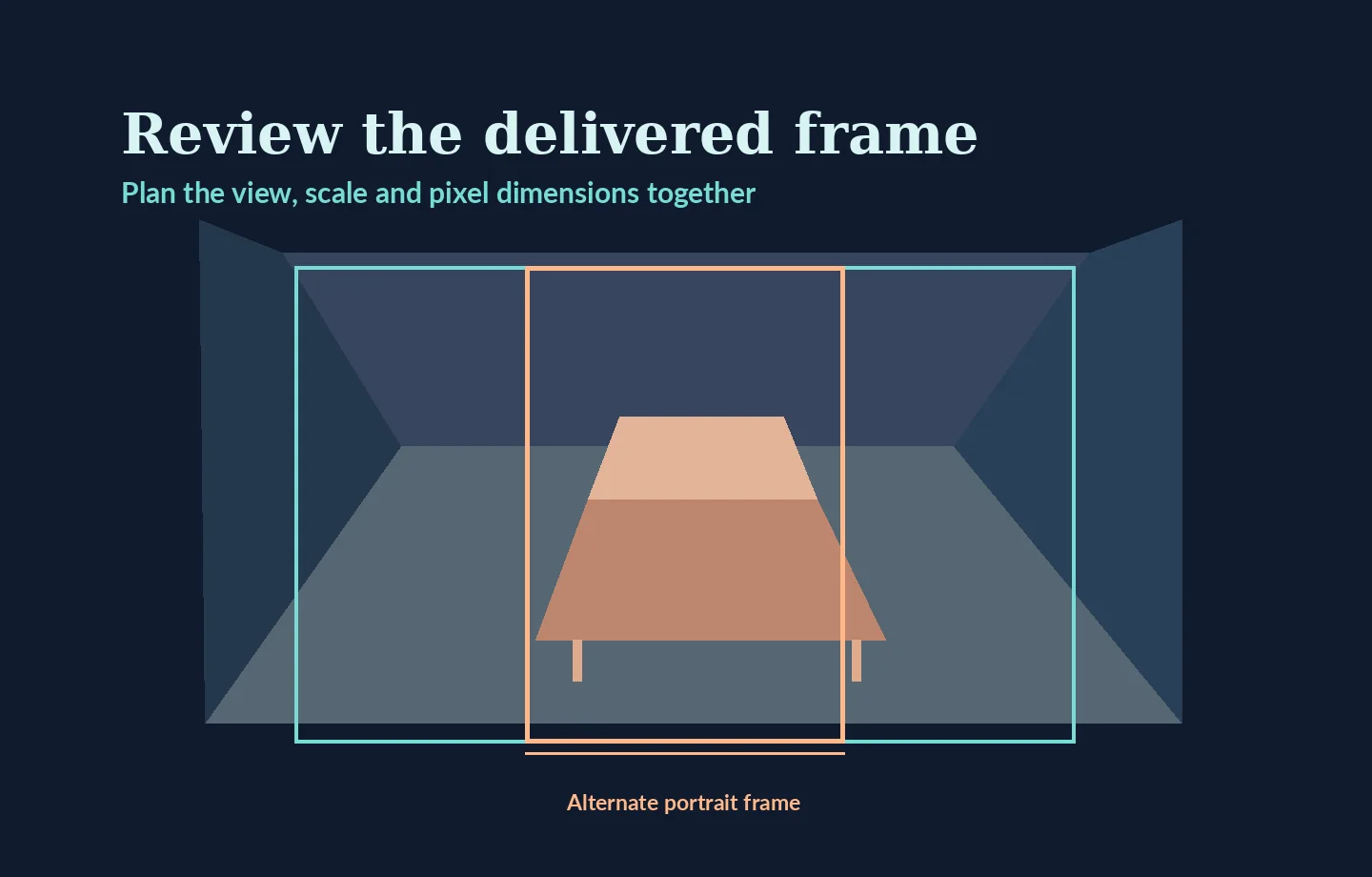
A client can approve the room and still reject the image. The chair may suit the space, for example, while the doorway steals half the delivered frame. Before increasing samples or polishing materials, agree on the view, verify a few dimensions and preview the actual output shape.
Check the position before choosing a wider lens
Take a fictional reading room with a 2.7 m ceiling, a 1.6 m window and an armchair beside a bookcase. The image is meant to show how the chair sits against the window wall. Put a provisional camera where a person could stand and render a plain preview. If the near doorframe dominates, move the camera before changing focal length. A wider lens from the same position includes more room; moving the camera changes how large near and distant objects appear relative to each other. Test the changes separately so the review can identify which helped.
Check the camera view for an edge that clips awkwardly, a lamp that aligns with a window mullion or a chair leg that merges with the bookcase. Save the approved camera transform and lens. Set a separate camera for a substantially different composition. The Blender manual explains the camera controls, sensor fit and guides available in camera view. Blender camera documentation.
Measure three things that explain the scene
Compare the ceiling, window and chair against the measured brief or asset specifications. In this example, an armchair intended to be 0.82 m wide came in at 0.92 m in an early layout. The extra 10 cm matters at the gap to the bookcase. Fix the geometry or asset scale and check the gap on the plan before judging it from a perspective view. Then keep two camera previews alongside the source dimensions so the next reviewer can see what was checked.
Make a proof at the delivery ratio
Suppose the main delivery is 2400 × 1500 pixels. A 960 × 600 preview preserves the 8:5 frame. A second delivery at 1200 × 1800 has a 2:3 portrait frame. Preview that composition on its own and check it where it will be used. If the portrait version loses the window edge that explains the chair’s position, reframe it now and request a separate approval.
Attach one line to each proof describing the question it answers: “Landscape shows the chair and the window in one view. Portrait shows the chair with the window frame visible.” Once both are agreed, there is a specific composition to preserve while the light and materials are refined.