A client can approve a beautiful Blender image and still receive the wrong deliverable. Perhaps the next artist needs an editable scene, the product team needs a model in another application, or the agreed animation cannot be reproduced from the files supplied. The professional question begins with that handoff.
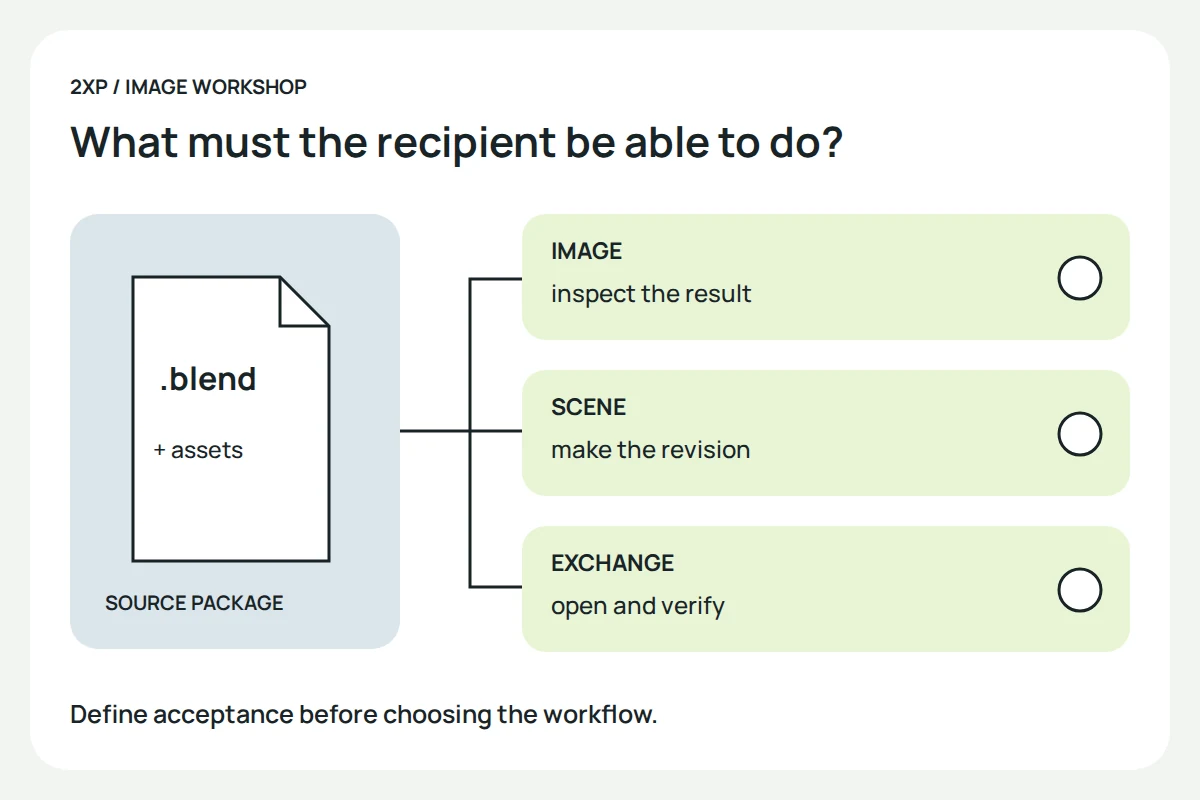
Evaluate Blender against the work someone must accept: the image, the editable source, the exchange file and the ability to make a revision. The following fictional desk-lamp job is a practical way to frame that evaluation. It is not a review based on a production test we have run.
Define what “finished” means before choosing the workflow
Our imaginary commission asks for three still images of a lamp and a model that another team can use. Those are two different obligations. A final PNG can preserve the intended appearance while providing no editable geometry. An exported mesh can contain the shape while losing information the receiving application needs to reproduce the finish.
Write down the recipient for each deliverable. For the stills, specify the crop, dimensions and visible details. For the model, name the receiving application and version, required format, units, orientation and the kinds of edits the recipient expects to make. “Provide the 3D file” is not enough to establish acceptance.
If the client only needs finished images, a demand for a particular source format may add unnecessary work. If another studio must continue modelling, the source and dependencies are central to the job. Resolve that distinction before promising that any application will fit.
Test the difficult part of the exchange
For the lamp, the difficult parts might be its adjustable joint, a translucent shade and a material built with procedural nodes. Use those parts in a small representative handoff. An empty cube that opens successfully proves very little about this commission.
Blender’s 4.5 FBX documentation describes conversion between Blender’s node-based shading and the format’s more limited material representation. That is a reason to inspect the imported result, not an assurance that every shader will travel unchanged. Choose the exchange format with the receiving team and check its actual import settings.
Record separately whether geometry, orientation, materials and animation survived the test. A model that looks correct as a still may have an unusable pivot. A rotating joint may work while the shade has the wrong appearance. One “opens correctly” checkbox conceals those differences.
Make the source usable away from your workstation
A scene can refer to images and other files outside the main project. A path that works on the artist’s computer may be missing on the recipient’s. Keep an inventory of the resources the deliverable depends on, including anything that must be supplied separately.
The Packed Data documentation explains that eligible resources can be packed into a blend-file and that packing takes effect when it is saved. It also warns that not every external resource can be packed; videos are one example. Packing is useful, but a successful save is not a complete handoff test.
For the lamp example, copy the delivery package to a separate location or have the receiving team open it in their environment. Check for missing resources, then ask for one modest, agreed edit: change the camera or adjust the joint. This proposed test examines whether the package is usable, rather than merely present.
Include one revision in the trial
Suppose the lamp’s base changes after the first approval. Can the artist identify the correct version, modify it and replace the affected outputs? Can another person tell which files are current? Those questions concern the production system around Blender as much as the application itself.
A simple review note might identify the drawing revision, scene file, texture folder, export preset and output set. Keep the accepted version available while preparing the change. Avoid switching the application version, asset version and export settings simultaneously during a deadline-sensitive revision; if something changes, it becomes harder to identify the cause.
Make the decision from acceptance evidence
Opening the file is only the first check. The recipient must also be able to inspect the required features and perform the edits agreed for the handoff.
A useful trial ends with a short decision record. State which deliverables passed, which needed repair and what the remaining work would involve. Record the time actually spent if cost matters to the decision. Do not turn another studio’s success or an attractive demo into a prediction for a different team.
Blender may fit one part of a project while another tool handles a required downstream task. The point of the trial is to make that boundary explicit. For the image itself, use the packshot guide; for rendering comparisons, keep the image-quality checks in the Cycles guide separate from file-exchange acceptance.
Archive note: historical lists link to “Can Blender be a professional tool?” at this address. Its standalone body has not been recovered. This is a new, independently written guide based on that documented question and the official documentation above, not a reconstruction of an unknown review or a report of our own studio experience.